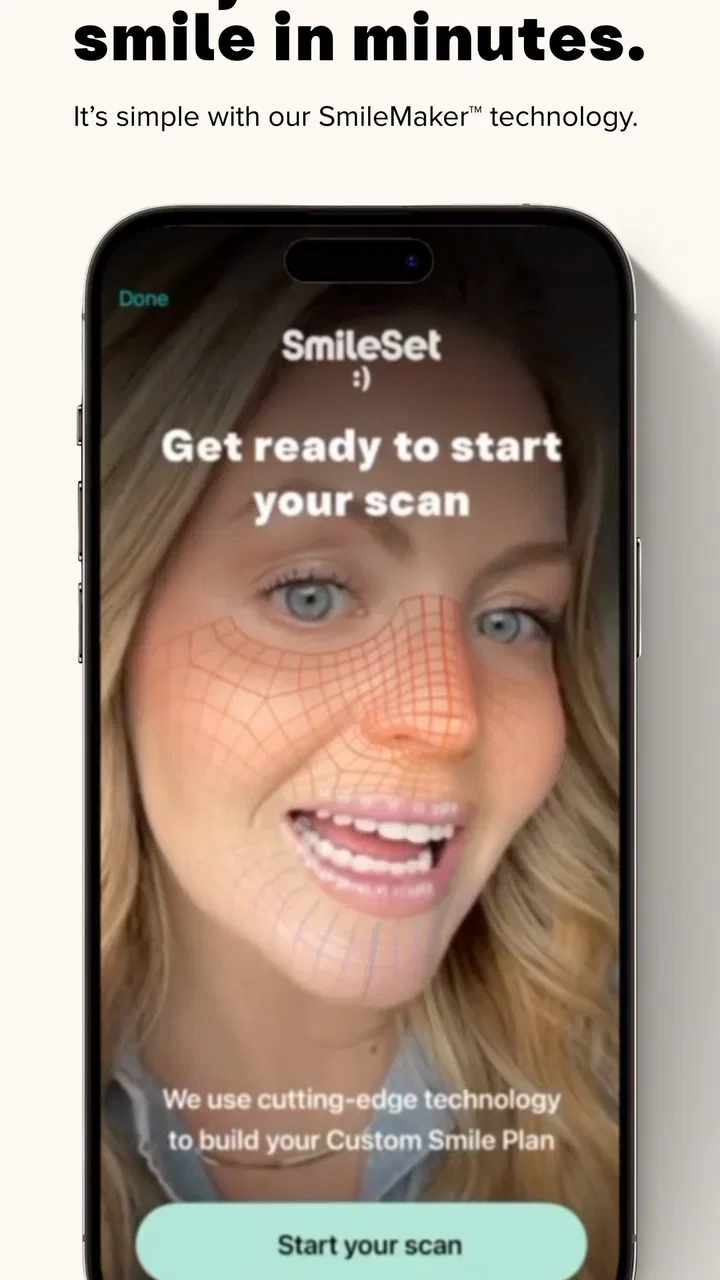
SmileSet
- 4.6
- Rating
- 100.00K
- Installs
- Free
- Price

 Analysis by App-foxy
I approached SmileSet as a practical medical app rather than a novelty camera effect. Its promise is simple: help you preview a different smile quickly. That can be useful when you are curious about possible cosmetic changes, preparing questions for a dental appointment, or trying to explain a preference to someone else. It is also the kind of app that needs a little more trust than an ordinary entertainment filter, because a face photo is personal and a simulated result can easily feel more authoritative than it really is.
My overall impression is positive but measured. SmileSet is free, aimed at everyone, and made by SmileSet. The app has reached more than one hundred thousand installs and holds a 4.7 average from around 2.3 thousand ratings, which suggests that many people find the basic experience approachable. I would still treat its visual result as a conversation starter, not a prediction or a substitute for a dental professional.
What SmileSet is really useful for
The most helpful way to think about this app is as a visual planning tool. A person who has never considered a change to their smile may find it difficult to describe what they want. Words such as “brighter,” “straighter,” or “more even” can mean very different things. Seeing an altered image gives that person something concrete to react to, even when the image is only an approximation.
You May Also Like

 Blood Strike: 2.5 Anniversary
Blood Strike’s Loadouts Turn Every Drop Into a Tactical Gamble
A close look at Blood Strike’s custom loadouts: how fast access to signature weapons reshapes its battle royale rhythm, rewards preparation, and narrows the gap between fights.

 Pandora - Music & Podcasts
Pandora’s Music Is Easy to Start, but Harder to Recover
Pandora’s strength is its low-effort path from a seed to a station. Its weak spot is how much confidence it asks you to place in connection, setup, and quiet recovery.

 8 Ball Pool
 Is Built on Rivalries, Rematches, and Routine
A close look at the rivalries, rematches, shared routines, and unanswered safety questions that turn a quick pool match into a persistent mobile community.

 Samsung Music
’s Quiet Strength Is Playing What You Already Own
Its reach comes less from spectacle than from dependable access to a personal library. That simplicity is both the app’s strongest retention engine and its ceiling.

 AccuWeather: Weather Radar
AccuWeather Review: A Quick, Clear Forecast for Everyday Decisions
For everyday plans, the best forecast is the one you can understand quickly. AccuWeather makes rain timing, radar, and local conditions easy to act on, with a few trade-offs.

 Hill Climb Racing
Why Hill Climb Racing Still Turns Crashes Into One More Run
A tiny car, a bumpy hill and one more upgrade: Hill Climb Racing keeps resurfacing because its simple chaos makes every near-miss feel personal.
More From Our News Desk
View All News


I can imagine using it before a consultation to organize my thoughts. Instead of arriving with a vague request, I could compare a few visual directions and note what feels natural, excessive, or simply wrong for my face. That does not make the preview medically meaningful, but it can make the conversation clearer. It may also help someone decide that a dramatic change is not what they wanted after all.
The app is less useful when the user expects an accurate treatment simulation. A phone image cannot account for dental health, bite, gum condition, lighting, camera distortion, facial movement, or the technical limits of a treatment. Even a convincing image remains an edited representation. The right question is not “Will my smile look exactly like this?” but “What preference or question does this image help me express?”
A sensible first session
I would begin with a clear purpose rather than repeatedly testing random looks. Take a straightforward photo in even light, keep the camera at a comfortable distance, and use a relaxed expression. Then compare the preview with the original instead of judging the edited image by itself. This simple comparison helps reveal how much of the impression comes from the smile and how much comes from lighting, angle, or facial expression.
One useful habit is to save a short note beside each result: what I like, what looks artificial, and what I would ask a dentist. That turns the app from passive browsing into a small decision aid. It also prevents the common mistake of chasing the most dramatic preview simply because it is visually striking.
Another practical tip is to use the same conditions when comparing options. If one photo is brighter or taken from a different angle, the comparison becomes unreliable. I would avoid making a decision immediately after seeing a flattering version. Looking again later, preferably beside the original photo, gives a more grounded impression.
Why the developer and app maturity matter
SmileSet comes from SmileSet and was released on April 27, 2021. Its current version is 3.0.17, with a minimum operating-system requirement of version 10. Those details make it easier to place the app: it is not presented as a brand-new experiment, and it should be considered alongside the device compatibility requirements before installation.
The rating and install activity provide some reassurance that the basic concept is understandable to a substantial audience, but popularity is not the same as clinical reliability or strong privacy protection. I would use the rating as a signal about general user satisfaction with the app experience, not as evidence that the visual previews are medically accurate.
The free price lowers the barrier to trying it, especially for someone who only wants a quick visual reference. At the same time, free apps still deserve careful handling when personal images are involved. I would not upload a photograph casually just because there is no payment screen. The value of a quick preview should be weighed against the sensitivity of the image and the choices the app presents during use.
Trust, controls, and personal images
For a face-focused medical app, trust comes from visible choices rather than from a polished result alone. Before using SmileSet seriously, I would pay attention to every screen that explains photo access, storage, sharing, account use, or deletion. I would also look for whether the app lets me choose an image deliberately instead of encouraging broad access to my photo library.
I do not treat a permission prompt as a minor technical step. It is the moment when I decide how much of my personal information the app can reach. If the system offers a choice between selecting one image and granting wider library access, I would choose the narrower option. If the app asks for something that does not seem necessary for the preview, I would pause and reconsider rather than approving everything automatically.
There is also a difference between an app being easy to operate and an app giving users meaningful control. A clear cancel button, a way to replace the selected photo, and an obvious route back to the starting screen all matter. These small details reduce the chance of accidentally continuing with the wrong image or sharing a result before I have reviewed it.
Because the app is free and rated for everyone, it may attract casual users, including people who are young or inexperienced with privacy decisions. I would encourage a parent or guardian to explain why a face image deserves care, especially if a child wants to experiment. The age label makes the app broadly accessible, but it does not remove the need for sensible supervision around personal photos.
Moments that deserve extra caution
The most sensitive moment is the first photo selection. I would avoid using an image that includes other people, visible documents, school details, workplace information, or a recognizable private setting. A tightly framed, ordinary portrait is a better choice than a group photo or a picture that reveals more of my life than the app needs.
The next sensitive moment is sharing. A preview can look personal even when it is only a simulation, and sending it to friends or posting it publicly may invite comments that affect confidence. I would review the image at full size, check the background, and decide whether sharing adds any real value. If the purpose is to discuss a possible change with a professional, I would keep the conversation focused on questions rather than presenting the image as proof of a likely result.
I would also avoid using the app as a self-diagnosis tool. If I notice pain, swelling, bleeding, damaged teeth, or another health concern, a visual preview is the wrong next step. The app may help me describe an aesthetic preference, but it cannot replace an examination or tell me what treatment is safe.
One non-obvious trade-off is emotional rather than technical. A preview can make a person feel hopeful, disappointed, or pressured before they have spoken with a professional. For that reason, I would not use it repeatedly when I am already anxious about my appearance. A short, purposeful session is healthier than endlessly searching for a version that feels perfect.
How much control the user really has
User agency is strongest when I remain the editor of the process. I choose the photo, decide whether the result is useful, and control what happens next. The app should support that sequence, not turn a quick experiment into an automatic recommendation. I would take screenshots or notes only when they help me remember a question, not because the preview deserves to become a permanent record.
If I were testing the app before a dental visit, I would prepare two or three focused questions: what change is realistic, what health checks are needed first, and which parts of the preview cannot be reproduced through treatment. This workflow keeps the app in its proper role. It also makes the consultation more productive than simply showing a heavily edited image and asking for an identical result.
Compared with a standard camera filter, SmileSet has a more specific purpose: it frames the image around the smile instead of treating the face as a general effects canvas. Compared with a dentist’s consultation, however, it lacks the professional examination, personalized advice, and clinical context that determine what is actually possible. The best option depends on the question. For curiosity and visual communication, the app is convenient. For diagnosis, treatment planning, or a final decision, a dental professional is the better alternative.
Compared with asking a friend for an opinion, the app offers a more concrete visual reference, but it can also create false confidence. A friend may notice that a result looks unnatural, while the app is designed to produce an appealing transformation. I would use both perspectives carefully: the preview to clarify my own reaction, and qualified advice to understand the real-world choices.
Who should try it, and who should skip it
I think SmileSet suits adults who want a quick, low-cost way to explore cosmetic preferences before asking better questions. It may also help someone who struggles to explain what they mean by a brighter or more balanced smile. The free access makes experimentation less intimidating, and the broad age rating means the interface is intended to be approachable.
I would be more cautious if the user is highly sensitive about appearance, expects an exact treatment outcome, or is likely to share personal images without reviewing them. Someone looking for urgent dental guidance should skip the app entirely for that purpose. The same applies to a person who wants a professional treatment plan rather than a visual prompt.
Another group that may prefer a different route is anyone uncomfortable with putting a face photo into an app. In that case, writing down goals, collecting questions, or speaking directly with a dentist is more appropriate. No preview is worth ignoring a privacy boundary that matters to you.
My cautious verdict
SmileSet is a useful, focused experiment when I keep its limits in view. It can help turn an abstract cosmetic idea into something I can inspect and discuss, and its free availability makes that first step easy. The strong user rating and more than one hundred thousand installs indicate that the concept has found an audience, but they should not be mistaken for evidence of medical accuracy.
My recommendation is to use it briefly, with a carefully chosen photo, narrow permissions where possible, and no expectation that the preview predicts a real result. Review every privacy and sharing choice, avoid including other people in images, and treat the output as a visual conversation starter. Use SmileSet to clarify what you want to ask, not to decide what your teeth or health need.
That cautious approach is where the app makes the most sense. It is neither a replacement for a dentist nor merely a disposable filter. Used with realistic expectations and deliberate control over personal images, it can be a convenient first look at a possible smile change. If you need certainty, diagnosis, or treatment advice, I would put the phone down and choose professional care instead.
FAQs for SmileSet
01What is SmileSet and what does it offer?
SmileSet is a versatile photo editing app designed to enhance your selfies and portraits with ease. It offers a range of tools for retouching, including filters, teeth whitening, and blemish removal. Whether you're a casual user or a social media influencer, SmileSet provides the features you need to create stunning photos effortlessly.
02Is SmileSet free to use, or are there in-app purchases?
SmileSet is free to download and offers several basic features at no cost. However, for advanced tools and filters, in-app purchases are available. These purchases allow users to unlock premium content and remove ads, providing a more seamless and enhanced editing experience.
03How user-friendly is SmileSet for beginners?
SmileSet is designed with simplicity in mind, making it extremely user-friendly for beginners. The intuitive interface guides users through each feature with ease, offering tips and tutorials to help you get started. Even if you have no prior editing experience, you can quickly learn to enhance your photos with this app.
04Does SmileSet require an internet connection to function?
While SmileSet can be used offline for basic editing functions, an internet connection is required to access certain features and updates. This includes downloading new filters and accessing cloud storage options. For the best experience, it's recommended to use the app with a stable internet connection.
05Is my data secure when using SmileSet?
SmileSet takes user privacy seriously and implements robust security measures to protect your data. The app does not store photos on their servers without your consent, and any data collected is used solely to improve the user experience. Users can review the privacy policy within the app for more details on data handling practices.
Pros
- User-friendly interface
- easy navigation.
- Wide variety of stickers and emojis.
- Seamless integration with messaging apps.
- Regular updates with new content.
- Minimal impact on device performance.
Cons
- Limited free content
- many in-app purchases.
- Occasional ads can be intrusive.
- Requires internet for additional features.
- Some stickers may not suit all cultures.
- No custom sticker creation feature.

SmileSet
Gallery